Category: Uncategorized
Search Engine

access the native search engine in the sidebar (desktop) or footer (mobile)


Supreme Exchange
Information
[bulla] Terms of Use
IMPORTANT – READ CAREFULLY BEFORE DOWNLOADING, ACCESSING OR USING THIS WEBSITE OR ANY PRODUCT SUPPLIED DIRECTLY OR INDIRECTLY BY ANTARAH CRAWLEY OR NOVUS SYLLABUS L.L.C. (“NEW SYLLABUS”) (JOINTLY AND SEVERALLY THE “AUTHOR”).
BY ACCESSING OR USING OUR PRODUCT AND OUR SERVICES, YOU (THE “USER”) HEREBY AGREE TO BE BOUND BY THE FOLLOWING LIMITED USE LICENSE (“AGREEMENT”) AND ALL TERMS INCORPORATED HEREIN BY REFERENCE. IF YOU DO NOT AGREE TO ABIDE BY THIS AGREEMENT, CEASE AND DESIST FROM (OR DO NOT ACCESS) THIS DOCUMENT, FILE(S), PASSWORD, AND ALL RELATED SERVICES (THE “PRODUCT”). This product and its use are protected by Intellectual Property Rights owned or controlled by the Author. Access to the product conveys to User only a limited, non-transferable license to use the product solely for internal research purposes conducted by User. This license specifically excludes any Non-Licensed Use. User acknowledges that the Author is not obliged to transfer any additional know-how or technology to User or to provide User with any consulting services to implement or use the product. The User may transfer (but not resell) the product and/or information or materials made through the User’s access to the product to another only if such transfer is genuinely required for User to use the product for internal research use, and such transfer is not for any Non-Licensed Use, and provided that such recipient agrees in writing (a) not to transfer the product or any such materials to any third party, and (b) to use such transferred information and materials solely for the internal research purposes of User and not for any Non-Licensed Use. Except as expressly permitted, the User must not sell or otherwise transfer: (a) the product, (b) its components and/or derivatives, or (c) materials made using or incorporating the product, to a third party. For information on purchasing a license to the product for purposes other than internal research use, contact the Author at director@newsyllabus.org. The Author is entitled to terminate this Limited Use License with immediate effect if the User breaches any of its terms, in which event User must immediately destroy the product(s) subject to such breach and all information or materials made through the User’s use of such product(s). The following disclaimer of warranties and indemnification from User will survive any termination of this Limited Use License. UNLESS EXPRESSLY SET FORTH IN A SEPARATE AGREEMENT BETWEEN THE AUTHOR AND USER FOR THE SALE AND PURCHASE AND USE OF THE PRODUCT, THE AUTHOR MAKES NO WARRANTIES OF ANY KIND WITH THE PRODUCT AND ANY INTELLECTUAL PROPERTY RIGHTS, ALL OF WHICH ARE PROVIDED AND LICENSED “AS IS”, “WITH ALL FAULTS”, AND WITH NO WARRANTY EITHER EXPRESS OR IMPLIED, AND SPECIFICALLY WITHOUT ANY WARRANTY OF MERCHANTABILITY, ACCURACY, SUFFICIENCY, NON-INFRINGEMENT, OR FITNESS FOR A PARTICULAR PURPOSE. THE AUTHOR ASSUMES NO RESPONSIBILITY WHATSOEVER (WHETHER IN CONTRACT, NEGLIGENCE, STRICT LIABILITY IN TORT OR OTHERWISE) WITH RESPECT TO THE USE BY THE USER OF THE PRODUCT OR ANY INTELLECTUAL PROPERTY RIGHTS OF THE AUTHOR OR ANY THIRD PARTY. UNLESS EXPRESSLY SET FORTH IN A SEPARATE AGREEMENT BETWEEN THE AUTHOR AND USER FOR THE SALE AND PURCHASE OF THE PRODUCT, USER SHALL INDEMNIFY AND HOLD THE AUTHOR HARMLESS FROM AND AGAINST ANY AND ALL CLAIMS, DAMAGES, COSTS, EXPENSES AND OTHER LIABILITIES WITH RESPECT TO THE PRODUCT AND THE USE THEREOF BY USER. In this Limited Use License: “Intellectual Property Rights” means and includes patent rights, copyrights, trademark and service mark rights, trade secret rights and rights in know-how and proprietary information, and other proprietary rights and intellectual property rights of any kind or nature anywhere in the world. “Non-Licensed Use” means: (a) use of the product in manufacturing; (b) inclusion of the product as part of another product; (c) use of the product in connection with the provision of any service for compensation, including research services for third parties; (d) use of the product for any unauthorized commercial purpose; (e) use of the product in writing, scrip, or software of any kind, or for consumption by or use in connection with or administration or application to any commercial purpose; (f) resale, lease, license, or distribution of the product, or any components or derivatives thereof, whether or not for research use; (g) any modification of the product, and (h) any other use of the product other than internal research use.

U:\>_Folder\Assuretyship
Use under 17 U.S. Code § 107
Educational Research Material for a Course in re “Assuretyship”

CL 1000-2304
CODE OF LAW
UNIVERSAL
COMMON
ECCLESIASTIC
AND CIVILL OF
THE SUI JURISDICTION OF
“WESTMARYLAND”
BY THE GRACE OF GOD
THROUGH COMMISSION OF THE SCRIBE,
THE RAPPORTEUR OF THE COURTS OF
THE UNITED STATES OF AMERICA AND JURISDICTION,
ANTARAH A. CRAWLEY,
FROM THE CITY-STATE OF “WASHINGTON”,
TO THEE PEOPLE OF WOMAN BORN OF THE BODY-POLITIC OF THE LAND WEST OF AND INCLUDING THE STATE OF MARYLAND.
As it is said,
“1 Domini Est Terra Et Plentitudo Eius
Orbis Terrarum Et Universi Qui Habitant in Eo
2 Quia Ipse Super Maria Fundavit Eum
Et Super Flumina Paeparavit Eum.”
(Psalm 24:1-2)
and
“29 Are not two sparrows sold for a farthing? and one of them shall not fall on the ground without your Father.”
30 But the very hairs of your head are all numbered.
31 Fear ye not therefore, ye are of more value than many sparrows.”
(Luke 12:7)
And, as it is said by the Prophet Isaiah,
9:2 The people that walked in darkness have seen a great light: they that dwell in the land of the shadow of death, upon them hath the light shined. … 4 For thou hast broken the yoke of his burden, and the staff of his shoulder, the rod of his oppressor, as in the day Midian. 5 … but this shall be with burning and fuel of fire. 6 For unto us a child is born, unto us a son is given: and the government shall be upon his shoulder: and his name shall be called Wonderful, Counsellor, The mighty God, The everlasting Father, The Prince of Peace. 7 Of the increase of his government and peace there shall be no end, upon the throne of David, and upon his kingdom, to order it, and to establish it with judgment and with justice from henceforth even forever…10:20 And it shall come to pass in that day, that the remnant of Israel, and such as are escaped of the house of Jacob, shall no more again stay upon him that smote them; but shall stay upon the LORD, the Holy One of Israel, in truth… 27 And it shall come to pass in that day, that his burden shall be taken away from off thy shoulder, and his yolk from off thy neck, and yolk shall be destroyed because of the annointing.

1000 – BODY POLITY.
The individual, the state, and the universe are all bodies of matter engaged in one universal, common, grand, unified, and general contracting system. Waves, particles, and bodies “contract” together to engage in material conduct and/or to become as one polity (i.e., “the physical state constituted by two or more parties”). The “contract” governs the conduct of its parties with respect to each other.
1100 – MATERIAL CONDUCT.
1101 – CONDUCTION. (A) The action or motion by which a body transfers force or matter to another body; (B) any transfer of action.
1102 – ACTION. (A) The effect of a cause; (B) the product of an accelerating object (i.e., a material body). (C) Where bodies are in motion, force is conducted.
1102.1 – FORCE. (A) A quantity of magnitude and direction (i.e., a vector ray); (B) that which has the effect of changing the acceleration of mass with which it comes into contact. (C) Force is a constant function of bodies in motion.
1103 – MATTER. (A) The quantity of a matter is its mass, which is the substance of any given thing. (B) The quality of a matter is its state, which is the particular nature of any given thing. (C) A body is any constitution or composition of matter.
1103.1 – MASS. The quantity of matter in a body, which itself is the quintessence of materiality (i.e., substance).
1104 – MOTION. (A) All matter in a body is in motion; (B) the sum total of all motion in a body is zero when that body is at rest. (C) The sum of all known forces in a system G of material i over space-time j — Gij=G1j+G2j+G3j+…Gzj — equals zero: Gij,j=0 (in which the comma symbolizes change in tensor notation). This is described as the doctrine of Universal Conservation of Energy [See, Dr. Gabriel Oyibo’s grand unified field theorem].
1104.1 – CONSERVATION. Universal Conservation of Force is further supported by the axioms “To each action there is an equal and opposite reaction” and “Total energy in a system is neither lost nor gained”. Therefore the Universe tends toward the conservation of total energy in a system, alternating net gains with losses.
1105 – ENERGY. Force is quantified by the energy produced by a body of mass, whose upper limit of velocity is the speed of light, c^2, a universal constant.
1106 – MASS. A body of matter has mass, even when it is at rest, therefore it stores and conserves energy. Energy, on the other hand, has no mass in a resting state, but it accrues to the acceleration of mass with which it comes in contact.
1107 – PARTY. Energy is conducted between opposing polarities, where the polarity is the respective position of particular matters or objects with regard to each other.
1107.1 – POLARITY. Force is conducted between acting bodies vis a vis the motion or transaction between the poles (i.e., the opposing parties).
1108 – BALANCE. If the conduction of energy between the parties inures to their mutual benefit, then their conduct may be deemed good and lawful without contest (ma’at). However, if the energy of one party inures to the benefit of the opposing party by an aggravating, inequitable, unjust, or unreasonable use of force, then the conduct is unlawful (isfet).
1109 – TRANSMISSION. The state of bodies when engaged in the transfer of action (i.e., transaction, the transmission of force; conduction) is Battery.
1200 – BATTERY.
1201 – VESSEL. A battery is any vessel consisting of two or more polarities, in which force is converted into or stored as energy E and used as a source of power (i.e., to effect, to manifest a purpose, to do the will).
1202 – CONTRADICTION. To engage in battery is to transmit E force between two or more bodies. Each body or collective body-politic in the context of the act of battery is polar to the other to the effect that their interests oppose each other at or approaching 180°. The bodies resolve their opposition at or approaching 360°.
1203 – PRESSURE. E force is generated in high pressure zones and transmitted between bodies from higher to lower pressure zone.
1204 – SUBJECT. A victim, or subject, of battery is one who sustains a net loss of their energy, which inures to the benefit of the opposing party respective to the period of contraction.
1205 – EQUITY. Good Conduct is lawful battery, i.e., balance. Hostile Conduct is unlawful battery, i.e., a disproportional extraction or exploitation of the energy of a body for the disproportional gain of another.
1300 – WAVE FLUCTUATION.
1301 – SHIP. A state incorporates to float a company to sea. It navigates the river bank to withdraw “current sea”. It sets its sails and sells its sales upon liquidity. It moors itself in port of berth to exchange materiality. The Mast must be helmed by the Master, who must have eyes to see.
1302 – SEA. There is a vast “sea” of material value, represented by fluctuating waves called “currents” which back the “current-sea”.
1302.1 – CURRENT. A “current” is a current fund existing in an asset or account which may be liquidated in money. A synonym for “current” is “present” — which may be made by presentment for current funds due and payable; as a demand for acceptance or payment made upon the maker, acceptor, drawee or other payor by or on behalf of the holder (UCC 3-501). “Present sales” are made under contract. In an alternating wave current, a present once made in credit may be accrued in debt, and if “presents” are not honored then “presence” may be summoned “in personam” to a court of the “Lex Mercatoria”.
1303 – BANK. To get liquid current from the “sea” to the “shore” where it is exchanged through negotiable instruments there must be river “banks” that slope down to liquidity to conduct the “stream” of the current sea.
1304 – SAILS. An enterprise of any kind must float upon the sea; for if it does not float, then it will go underwater. What, then, shall convey this company of ships down the river stream of income? It is by and through the ships’ “sales”. Whereby doth it sail?
1304.1 – DRAFT. (A) A “draft” is made when there is an action of pulling something along, as with a presentment for current funds; (B) same with bills of exchange, promissory notes, bank-checks, and other negotiable instruments (“commercial paper”). (C) A draft is the depth of water necessary to float a ship (“a navigable water”).
1304.2 – NEGOTIABLE. (A) Capable of being transferred by endorsement or delivery. (B) Any writing signed by the maker or drawer (“instrument”) which is sent containing an unconditional promise or order to pay a sum certain in money on demand or at a definite time is “negotiable” and an “offer” for “acceptance”.
1305 – STATE. (A) A “state” brought into existence by any constitution of matter shall operate upon the “fluctuating wave” doctrine of admiralty jurisdiction under international maritime contract law (the Law of the Sea [statutes and rules of the States and the Congress] as opposed to the Law of the Land [Constitution of the United States of America]). (B) The law relative to state-incorporated “artificial persons” and that relative to “natural persons” domiciled therein are distinct.
1306 – PERSON. A “person” who signs unconditionally on a promise or order to pay which they are sent by another thereby makes themself liable in personam subject matter drawn through the commercial “sea”.
1306.1 – (A) A living person of woman born must preserve their natural, unalienable, and constitutional right to not be compelled to perform under a contract which they did not enter into knowingly, voluntarily, and intentionally; and furthermore to not accept the liability of the compelled benefit of any such contract. (B) If any given human should be found liable under such a contract by any person or state then let it be placed on the record, and (C) Let them reserve all of their natural rights to life, liberty, and property under common law jurisdiction Without Prejudice UCC 1-308.
1306.2 – If a natural person sustains injury to their person or their property then they are entitled to petition the government for a redress of their grievances and seek recourse in damages in an Art. III court of common law, where the facts shall be judged by a jury. Such a person preserving all their rights under the common law cannot be compelled to perform under the terms of a contract (such as implied engrafted powers of statutory commercial law) which has not been placed on the record and into which they did not actually enter if there is no damaged party. Inversely, a person damaged by another party may “pursue” them in a court of common law.
1307 – INCORPORATION. In summary, “currency” is the medium of exchange of negotiable instruments, whose subject matter is man-made. The currents of negotiable instruments transmitted through the total universe of such instruments (“sea”) constitute the “current-sea”, which functions by virtue of being like a real sea, except by artificial man-made incorporation. The man-made purpose of this “sea” is to float a “ship of state” (“corporation”) “with merchandise” (“commerce”) over the material world.
1308 – RIGHT. (A) The “law” is a body of esoterica that purports to be the repository of truth — not necessarily absolute truth, but truth as it pertains to a particular state, matter, or affair. “Truth” is the function by which material facts are deposited into words and sentences that represent the position of a majority party, usually “the state”. (B) The “law” represents a particular state of energy conduction (or battery) among constituent parties, which parties must have competence and standing. (C) The consensus of humankind may pass “law” for the license, benefit and privilege of subject matters and persons; but the Grace of God alone confers certain inalienable rights to humanity (as our own “Founding Fathers” have borne witness). (last mod. 3 May 22)
1308.1 – JURISDICTION. (A) “Law” represents what is “right” (“ius”) in the eyes of the state (or majority party). (B) The state has standing to say (“dictate”) what is “of right” (“iuris”) with regard to its self-created subject matter, therefore having “jurisdiction”. (C) A person must have knowledge, intelligence, and volition to have standing to act and contract, therefore having sui (“self”) jurisdiction which is endowed by its Creator with certain inalienable rights enumerated in The Law given from the Right Hand of God to Moses and ratified with the blood of Yahsuha, which is enshrined in Thee Bill of Rights. (last mod. 3 May 22)
1400 – SECURED BOND.
1401 – INSURE. If you knew that your biological property was bonded and secured by the government against any loss gov’t may incur “on behalf” of its beneficiaries, that your W2 wage labor insures the government’s fiat paper, and that the terms of this insurance policy bind you to indemnify the gov’t by a waiver of all your rights, would you have complied unconditionally at signing?
1402 – SURETY. A bond is a surety or obligation to repay an incurred monetary loss and interest. In banking, a team member such as a bank teller must be insured by a bond (as a motor vehicle is insured against liability). Such a bond is issued by a bond company in order to manage risk related to the member’s handling of the bank holdings/assets (as a motor vehicle is insured to manage risk posed by collision). This is because the “security” of “property” is a right which must be guaranteed, especially when such property is indicated on and thus bound by negotiable instruments (“commercial paper”).
1403 – SECURITY. If a bank team member were to commit a dishonest act then it would make them unbondable. Under the U.S. Constitution, all persons are similarly bound and secured, meaning that each person’s life, liberty and property stands surety for their conduct and any loss of good faith or credit. A natural person is bound to observe the common law, and thus “secured” by the Bill of Rights, as a loan is “secured” by collateral.
1404 – LIBERTY. The commission of illegal conduct by a United States bondsperson (read “citizen”) will render that citizen unbondable under common law. Under the Law of the Land (the Bill of Rights) a human being’s life and liberty (or license to freedom) is the bond on that human’s being, so that if one violates the common law with criminal intent, their bond gets revoked by the state and they become subject to arrest, detainment, and incarceration of their body, or otherwise deprived of their liberty and property. A bail may be placed by the state on such a person, so that they may purchase their liberty pending trial for an amount certain.
1405 – SUBJECT. Now “license to freedom” is a paradox, because freedom is a natural and unalienable right, that is, mutually exclusive to slavery. But in America, “citizens” and “subjects” of the US are bound under inferior 13th and 14th Amendment statutes vis a vis the state’s procedural “due process” code, and are thus “subject” to enslavement and involuntary servitude under the criminal statute. The price of the bond on one’s freedom (their bail) depends on “subject” status under “color of law”.
1406 – COLORABILITY. People have the ability to be “colored” under the law, meaning that their natural rights are waived or deprived by a device of the state which appears to be genuine, but is not. “Colored people” are and have been used as a means to capital gains, and are thus entitled to minimal rights while being subject to a heavy bond; while non-colored people are and have been assets or officers of the state, being so entitled to pursue property on its behalf, and are thus afforded more freedom under nominal bond.
1407 – DOCK. “Colored people” are not black, brown, etc., in fact, but subject to a color of law under the status of civilitus moritus (dead citizens, or those whose rights have been so negated that they have neither intelligent capacity nor agency and are thus dead in the eyes of the law).
1407.1 – LEX MERCATORIA. Color is not an objective condition of natural personhood or material fact, but strictly a term of contractual obligation; for when you are moored in your place of berth upon a ship of state, and have unconscionably signed over your “bill of lading”, your case may be placed on the dock of a colorable court of the “lex mercatoria” unless you expressly preserve your liberty under the law of the land and of nature.
1408 – INTEREST. The sovereign People of the 50 united States color themselves by enrolling in the “United States” insurance policy for benefits and privileges which allow the gov’t to calculate an interest in the Peoples’ wage labor and to indicate such secured interest on international negotiable instruments (i.e., commercial paper).
1409 – INDEBT. Know that bonds are most important; they are the glue of all matter. Even God bound your spirit in your body when you were born through your mother. Yet in spite of this, the “civil” state continues to bind free-born natural persons to a contrived, coerced, and compelled “debt to society” derived from international bank balance sheets. Why? For the same reason Rome set sail upon the “Holy See” – to engraft the peoples of all lands to their Penumbra.
1410 – SUI IUS. An officer of the court may sell you short, but sui jurisdiction will make you whole.
1411 – PERSONAM. A natural person is not a “corporation” and not subject to obligations of a corporation, which is an “artificial person” created by the implied powers engrafted by Art. I Civil Subject Matter to Art. II Maritime/Admiralty/executor/ police power jurisdiction. Natural personam born on this land is entitled to the privileges and immunities enumerated in the Bill of Rights and Art. III judiciary.
1411.1 – PENUMBRA. The government is “in want” of your personam rights for security interest (to hedge against its own worthless fiat paper), which you waive by unconditional signing of any promise or order to pay them in exchange for “benefits and privileges” of implied powers.
1412 – PLEDGE. Thy word is thy bond; duly guard it, for signature be thy pledge.
1500 – JURISDICTION.
1501 – LAW. The esoterica people lump together as “the law”.
1502 – SYSTEM. The American Judicial System is arguably the most complex in the world. Actually we could speak of “systems”. Reason being that ours is a federated country with its component units sharing some overlapping powers, yet having exclusive control in others.
1503 – PEACE. The Justice of the Peace is a state judicial threshold entrusted with simple matters such as performing marriages.
1504 – INTERPRETATION. Law is a matter of interpretation; or an interpretation of matter(s), as it were, especially the US constitution.
1505 – INQUIRY. To “move the question” or to “call the question” refers to hearing a matter of differing interpretation or moving to act or enact a law, a resolution, or a decision of judgment. This is done by any member of a body in good standing by stating “I move that this body &c.,” which motion must be seconded before it can be further discussed before a vote.
1505.1 – MOTIONS AND SUBSIDIARY QUESTIONS. When a matter is under the consideration of the body, then it is in question. A question must be duly moved, seconded, and discussed by members of the body in order to pass to a resolution. Questions of privilege take precedence over other questions. Subsidiary questions are those which alter a pending question, which include:
1505.1(A) – Moving to Adjourn: Close the proceeding.
1505.1(B) – Moving to Lie on the Table: Dispose of the question for a time until it is duly taken up for consideration.
1505.1(C) – Moving the Previous Question: Bring the question to an immediate decision.
1505.1(D) – Moving to Postpone to a Day Certain: Delay action until a certain day of reassembly.
1505.1(E) – Moving to Refer the Question to a Committee: Commit the question to the due consideration of a committee.
1505.1(F) – Moving to Amend: Change the form of a proposition.
1505.1(G) – Moving to Postpone Indefinitely: Reject the question.
1505.2 – The mover of a motion may withdraw it (by consent of their second), but not after it has passed to a resolution.
1506 – COMMON LAW. A body of principles authoritative because of ancient custom; “from time immemorial” or as “judge made laws”.
1506.1 – INALIENABILITY. Common Law is based on God’s Law. Any time a person is charged under the Common Law, there must be a damaged party. You are free under the Common Law to do anything you please, as long as you do not infringe on the life, liberty, or property of someone else. You have a right to make a fool of yourself, provided you do not infringe on the life, liberty, or property of someone else. The Common Law does not allow for any government action which prevents a man from making a fool of himself … Common law cannot compel performance. Any violation of Common Law is a CRIMINAL ACT, and is punishable. (Howard Freeman, September 22, 1991)
1506.2 – EQUITY LAW. Law which compels performance. It compels you to perform the exact letter of any contract that you are under. So, if you have compelled performance, there must be a contract somewhere, and you are being compelled to perform under the obligation of the contract. Now, this can only be a civil action — not criminal. In Equity Jurisdiction, you cannot be tried criminally, but you can be compelled to perform to the letter of a contract. If you then refuse to perform as directed by the court, you can be charged with contempt of court, which is a criminal action. (Freeman, Sep. 22, 1991)
1507 – STATUTORY LAW. Statutory law — Enacted by a legislature of the congress or state; ordained by a positive statement made by a branch of the government which either prescribes (shall) or proscribes (shall not) an action.
1507.1 – COMMERCIAL LAW. This is a civil jurisdiction of Compelled Performance which also has Criminal Penalties for not adhering to the letter of the contract, but this only applies to International Contracts (being those enacted by the United States and the States) Whenever there is a penalty for failure to perform [to a statute] that is Admiralty/Maritime Law and there must be a valid international contract in force. (Freeman, Sep. 22, 1991)
1507.2 – Under Erie Railroad Co. v. Tompkins (1938) the Supreme Court decided that the decisions of the courts will be based on commercial law or business law and that it will have criminal penalties associated with it, thus coloring the courts of the US and States under an Admiralty Jurisdiction which they call a Statutory Jurisdiction. (Freeman, Sep. 22, 1991)
1507.3 – Under Gibbons v. Ogden 22 U.S. 9 Wheat (1824) Chief Justice Marshall narrowly construed the Commerce Clause of the U.S. Constitution (Art. 1, sec. 8, cl. 3) to exclude the exclusively internal commerce of a state and to limit the definition of intercourse to traffic in money. Swift & Co. v. United States 196 U.S. 375 (1905) broadened the interpretation of “commerce” to include the general course of traffic (or trade) across the country, i.e. the course of trade; the current of commerce among the states. Furthermore, commercial intercourse has come to include every species of (A) movement of persons or things, whether for profit or not, across state lines; and (B) communication, transmission of intelligence, or commercial negotiation involving the act of transportation of persons, things, services, or power; See, Caminetti v. United States 242 U.S. 470 (1917) and United States v. Simpson 252 U.S. 465 (1920). Furthermore, transactions may be commerce though non-commercial, and though they do not utilize common carriers or concern the flow of anything more tangible than electrons and information; See, United States v. Southeastern Underwriters Ass’n 322 U.S. 533 (1944).
1508 – CLAIM. Major principles of law are called doctrines, generally having elements, each of which constitutes a claim of law.
1509 – RES IPSA LOQUITUR. The doctrine of The Thing speaks for itself; no evidence required.
1510 – PRIMA FACIE. The doctrine of first appearance; at least some evidence shows obviousness or guilt.
1511 – BLACK LETTER OF THE LAW. Black letter of the law — the statutory color of law as written on paper.
1512 – SHEPARDIZING. To confirm the validity of a prior legal opinion. See, Westlaw and LexisNexis.
1513 – ADVERSARY. American law is adversarial, i.e., parties disagree about something and appear in court to resolve their dispute, however, due to cost, time, and complexity of litigation, alternative dispute resolution typically by arbitration is gaining in popularity. (1-20)
1514 – PLEADINGS. Per valid cause of action a plaintiff files a complaint which alleges wrongdoing and requests specific relief. This is the “suit” of law for which the defendant must be served by court officer or process server in order to be summoned to court where such suit shall proceed. Cases must be docketed (scheduled on a calendar) and parties must have standing.
1514.1 – Nota Bene (“take notice”) that one must be licensed to pass the bar of the court and have standing on the dock thereof, for one who is not barred and without a “life jacket” is liable to drown in the maritime waters. Attorney appearance admits the jurisdiction.
1515 – MOTION IN LIMINE. Motions filed on the threshold of a case in order to limit the scope of public access or divulgence in open court.
1516 – DISCOVERY. The marshaling of evidence between parties, using interrogatories or deposition of potential witnesses.
1517 – PERJURY. Oaths and affirmations compel one to speak the truth under penalty of perjury (i.e., the crime of falsifying an oath).
1518 – NOTARY PUBLIC. One who is commissioned to act as the state’s impartial witness at such proceedings as made under oath.
1519 – AFFIDAVIT. Affidavits are “sworn statements” obtained from persons having pertinent information. An unrebutted affidavit stands as truth in a court of common law.
1520 – SETTLEMENT. Most lawyers and probably all judges prefer settlement to trial as a matter of judicial economy.
1521 – PLAINTIFF. Plaintiffs bear the burden of proof to present sufficient evidence to demonstrate the validity of their complaints under penalty of dismissal with or without prejudice.
1522 – CIVIL. Civil matters concern equity, torts, and other disputes between private parties and are decided by a preponderance of evidence (as when “the scales begin to tip” because one side weighs slightly more than the other).
1523 – CRIMINAL. Criminal matters concern a public indictment or finding of probable cause of a felonious or infamous act and are decided by evidence beyond a reasonable doubt, as when one side of a scale comes down under considerable weight.
1524 – TRIER OF FACT. The trier of fact is either a judge or a jury.
1525 – JUROR. Juror means one who swears an oath and verdict means a true statement of the jury. A grand jury may indict a person accused of crime by returning a true bill (opposed to no bill) of indictment to an attorney to paper such charges.
1526 – JUDGE. The judge alone is the arbiter of the law, who instructs the jury on what the law says.
1527 – DEMURRER. An assertion by a defendant that although alleged facts about them may be true, they do not entitle the plaintiff to prevail.
1528 – OATH/SWEAR/AFFIM. A formal promise to tell the truth while testifying, as in to say, O my heart which I had from my mother do not stand as a witness against me, for you are my soul which is in my body, and my god is with me (as my witness).
1529 – PERSONAL RECOGNIZANCE. To swear or affirm to fulfill an obligation not subject to bond.
1530 – PLEA/PLEADING/PRAYER. A document or declaration submitted to court citing alleged acts or wrongdoing on part of a defendant and requests specific relief.
1531 – PRESUMPTION OF INNOCENCE. There is a Presumption of Innocence that the defendant is not guilty of any allegations until proven otherwise.
1532 – PREPONDERANCE OF EVIDENCE. The degree of relevant evidence which a reasonable mind considering the record as a whole would accept as sufficient to find a contested fact is more probably true than untrue.
1533 – BEYOND A REASONABLE DOUBT. The degree of relevant evidence which would persuade a reasonable mind considering the record as a whole beyond doubt that a contested fact is more probably true than untrue.
1534 – COLORABLE. That which is in appearance only, and not in reality, what it purports to be, hence counterfeit, feigned, having the appearance of truth. (Black’s Law Dictionary, Fifth Edition.)
1535 – CHARGES. If you put on the record that you do not understand the charges then the court cannot move forward to judge the facts.
1536 – COMPELLED BENEFIT. Howard Freeman asserts that you cannot be required to perform to a statute (such as file or pay taxes) under the compelled benefit of using the Federal Reserve Notes, because you have reserved your rights under the Common Law through the Uniform Commercial Code at 1-207 (now found at UCC 1-308).
1536.1 – The benefit being used is that we have been given the privilege of discharging debt with limited liability, instead of paying debt. When we pay a debt, we give substance for substance. If I buy a quart of milk with a silver dollar, that dollar bought the milk, and the milk bought the dollar substance for substance. But, if I use a Federal Reserve Note to buy the milk, I have not paid for it. There is no substance in the Federal Reserve Note. It is worthless paper given in exchange for something of substantive value.
1536.2 – Congress offers us this benefit: Debt money, created by the federal United States, can be spent all over the continental united States; it will be legal tender for all debts, public and private, and the limited liability is that you cannot be sued for not paying your debts. So, now they have said, “We’re going to help you out, and you can just discharge your debts instead of paying your debts.” When we use this “colorable” money to discharge our debts, we cannot use a Common Law court. We can only use a “colorable” court. We are completely under the jurisdiction of the Uniform Commercial Code — we are using nonredeemable negotiable instruments and we are discharging debt rather than paying debt. (Howard Freeman, Sep. 22, 1991)
1537 – SUBJECT. Subject refers to a person or matter about which a statement is made. Subjective refers to the quality of being influenced by personal sentiments and individual perceptions.
1537.1 – The subjectification of one’s own experiences based on the perception that they are black, white or another objective color is a psychological disorder we call “Colored Person Syndrome Disorder” or “Colored Person Stress Disorder” (CPSD). Apparent “victims of racism” commonly suffer from subjectification.
1538 – OBJECT. Object refers to a person or matter toward which an action is directed. Objective refers to the quality of being a “matter of fact”, that is, clear and unambiguous from any perspective.
1538.1 The objectification of another person on the grounds that they “are” or appear black, white or otherwise colorable is such a disorder. Apparent “racists” commonly suffer from objectification, manifest in the erroneous equation of skin color, the visible color spectrum, and socioeconomic classification.
2000 – MIND SOFTWARE.
IF you apply due processing in-re(x), THEN you will get information. Run Operating Systems Theory on your Mind Software to process information.
2100 – ALLGEMEINE SYSTEMTHEORIE.
2101 – SYSTEMS. General Operation and Development for Human Mind Software (“Mindsoft”) Tecknowledgey, Mental Health Auditing, Information Systems Analytics, and the Methodology of Integrated Systems Theory.
2102 – THEORIE. “Theory” is used here in the German sense of “Lehre” where it simply means “science”, “tenants”, “dogma,” and/or “teaching”; here Theorie connotes a theorem or a fundamental truth.
2103 – ALLGEMEINE. This methodology applies to all Systems Theories, that is, “Allgemeine”, or general and universal, laws of exchange between complementary units (i.e., numbers, cells, selves, goods) operating within or on behalf of a harmonic whole.
2104 – COGNIZANCE. Human Software Systems, i.e. The Mind, has and maintains the ability to function at optimal efficiency called “C-squared” consciousness [Cognizance]. This type of consciousness is actually the consciousness of a normal modern human being increased by the power of itself.
2105 – PEACE OF MIND. C-squared consciousness is characterized by the state of mind in perfect peace, or the quality of mental operation at minimal resistance.
2106 – EYE. The mind software codifies an optimal focal point within its hardware (“Body”) called the Eye (i.e., “I” or “Self”) and leverages it against the field of universal data. The software is operative while the data is latent until encountered by the software operation.
2107 – EYE ON. To receive into the mind (i.e., “to access”) general universal information, the Mind projects its Eye onto the source data. To “project the Eye on” to the data means “to see/bear witness” (“to notice”). The data is appropriately called the “Ion”.
2108 – COMMUNICATION. The exchange or transmission of such data or information in any form constitutes communication, wherein one primary cell f (“Self”) is the receiver of that data which is communicated to it from a material, incorporeal, or ambient source.
2109 – CAPACITY. The human mind software programs the body hardware to function as a battery; hence the efficiency of mental operation correlates to an individual’s “ionic capacitance” or “capacity”.
2110 – SIGNAL. The Eye processes the Ions into a line-signal, or sine-wave, called the “input information”. The Mind software program receives the input data in order to generate output data (“speech”, “word”, “logos”) and/or program systems command code (“love”, “ignore”, “will”, “power”).
2111 – SIGMA. Knowledge is the summation operation of the mind upon the data transmitted from one point along a spectrum (i.e., the Alpha) to a secondary point (i.e., the Omega). If the system becomes at peace with the data, then the data is saved in the memory bank.
2112 – IGNORANCE. Ignorance results from the system’s failure to integrate received data into knowledge. Fear and hate are data corruptions resulting from the lineage between ignorance and belligerence.
2113 – FILES. All input information processes, whether written as command code or as logos, saved or unsaved, are recorded in the Mind’s Memory bank, which is often called the Records or Files.
2114 – MEMORY. The active memory bank is located in the consciousness, or C: drive. However, files which are not saved in the C: drive are not able to be readily identified and routed into output code by the consciousness.
2115 – METADATA. Input which is not routed directly to output is still accorded its due weight in the Memory, however, due to the suppression of the data, it may not be easily recalled by the software system, and therefore may become latent coding (i.e., metadata) in the unconscious command functions corrupting the files of the Self unit.
2116 – CRITICAL THOUGHT. The system’s capacity for Information Processing is commonly referred to as “Thought”. The quality of optimal information processing is called “critical thought”.
2117 – ABERRATION. However, such processes may be inhibited by aberration in the mind’s systems operations which renders in the Eye poor judgment and misunderstanding in the Self unit.
2118 – ENGRAMS. These aberrations are called “engrams”, and such are “glitches” in the mental operation which impede the flow of cognition.
2119 – DIANOUSIS. Such operations as are run “through the mind” are called “dianetic”, from the Greek “dia nous”.
2120 – DIAGNOSIS. CP/M is a reliable method for analyzing and resolving human thought patterns which cause the Self to operate short of optimal efficiency: “Diagnosis” puts the “G” in “dia nous”.
2200 – INFORMATION PROCESSING SYSTEMTHEORIE.
Mapping x to y [f:x=>y]. SOLVE f(x)=y.
2200.1 – IF x = n THEN y = a1 = Do-Process(audit-notice)
2200.1(A) – NOTICE: perception, literacy, and reading comprehension;
2200.1(B) – AUDIT: hearing, listening, voir dire, and counseling;
2200.2 – IF x = d THEN y = a2 = Do-Process(assess-data)
2200.2(A) – DATA: discover, collect, weigh, and measure evidence;
2200.2(B) – ASSESS: logical analysis; fact-finding, investigation;
2200.3 – IF x = i THEN y = a3 = Do-Process(assure-info)
2200.3(A) – INFORMATION: draw inferences from data; make findings of fact;
2200.3(B) – ASSURE: trial, preponderance, and deliberation;
2200.4 – IF x = k THEN y = a4 = Do-Process(adjudge-knowlg)
2200.4(A) – KNOWLEDGE: draw conclusion, log information under true=1/0.
2200.4(B) – ADJUDGE: drawing conclusions and making recommendations.
2200.5 – IF x is Duly-Processed THEN produce and deliver: findings of fact [f(F)] and conclusions of knowledge induction operation [c(L)]
2201 – NOTICE. Mapping X=>N, where N = NOTICE: perception, literacy, and reading comprehension; in the 1st Degree (“Clinical Practice”).
2201.1 – Information Processing Step 1: FILING. To raise a matter of interest or concern to the clinical dialectician/ information processing server (IPS), client(s) shall submit information, being a contract to which they are party, a matter of policy in which they have an interest, a grievance, an inquiry, or a petition for investigation (respectively, “the matter(s)”, or, “in re [the matter(s)]”) in electronic, oral, or hard copy to the IPS.
2201.2 – Investigative Procedure Step 1: INITIAL ANALYSIS. Directives: Determine whether a matter which has been raised to the IPS requires formal investigation or whether it can be examined and resolved based on the facts already known, presented, or substantiated; determine whether the matter would be more properly handled by another competent jurisdiction; establish the role of the IPS (e.g., to find facts, analyze evidence discovered, and present findings to the decision-maker following completion of the investigation); be cognizant of the involved participants, decisions-makers, and appeals decision-makers. Decision-makers should not be directly involved in the course of investigation so as to be, and appear to be, objective in subsequent rule making).
2202 – DATA. Mapping X=>D, where D = DATA: discover, collect, weigh, and measure evidence; in the 1st Degree (“Clinical Practice”).
2202.1 – Information Processing Step 2:
2202.1(A) – READING COMPREHENSION. Help client(s) to read and understand the terms of complicated, formal, or arcane language in the matter(s) in order for them to make informed decisions and good judgments in their own right. If the client acquires the knowledge and understanding needed to resolve the matter(s) in their own right, close the case.
2202.1(B) – CHARGING DOCUMENTS. If further work/action is required, paper charges and pass the case to 2nd Degree.
2202.2 – Investigative Procedure Step 2: PLANNING & LEADING.
2202.2(A) – Directives: determine the scope, complexity, and timeline of the investigation; develop a strategy for the investigative process; bear in mind that all subjects of investigation shall be considered innocent until proven otherwise, and that all subjects of investigation have the right to defend themselves again allegations or charges which may be brought against them.
2202.2(B) – An investigative plan shall take account of: the precipitating event (or charge) and all persons involved, including name, contact information, and relation to charges (including but not limited to the investigation subject); the chronology of dates, times, places, meetings, calls, conversation, and other material documentation; general laws, policies, procedures, and/or code of ethics which may bear upon the charges and their investigation, including where such information may be located (as well as other broad issues covered by the investigation); potential sources of evidence and material information (including but not limited to material witnesses); the decision-makers in the matter (i.e., those to whom IPS shall report findings); and the order of persons to be interviewed and the subjects to be covered with each.
2202.2(C) – Directive: produce and maintain a confidential, secured case file of the investigation, including all documentation and evidence arising from the investigation, the original charge, allegation or complaint, an investigation timetable which shall include the “tick-tock” (or timetable) of the case, including review of discovery, schedule of interviews, notes/transcripts of interviews, memos-to-file, and preparation of final report).
2203 – INFORMATION. Mapping X=>I, where I = INFORMATION: draw inferences from data; make findings of fact, in the 2nd Degree (“Session of Parliament”).
2203.1 Information Processing Step 3:
2203.1(A) – DISCOVERY. Collect and gather evidence in the matter(s) through discovery of further information by and through Audit Assessment and Assurance Service, investigation (within proper jurisdiction), research, or other lawful and appropriate means.
2203.1(B) – FINDINGS. Try, test, and examine client(s)’s working knowledge in the matter(s) and make findings of fact. If findings resolve client’s understanding in the matter(s), close the case. If further work/final action is required to resolve the matter, raise the case to the 3rd Degree.
2203.2 – Investigative Procedure Step 3: DISCOVERY. Directive: conduct fact-finding through requests for information and conducting interviews (also known as fact-finding conferences, deposition upon written interrogatories or questions, or deposition upon oral examination). Stages of an interview include planning, arranging, opening, conducting, closing, and maintenance of the record.
2203.3 – Investigative Procedure Step 4: ANALYSIS & PREPONDERANCE. Preparation of a final report of investigation shall rest upon a thorough analysis of the facts and preponderance of the evidence discovered in the course of the (instant) investigation, so as to cause the matter to be resolved between the parties, or to provide the decision-maker(s) with sufficient basis on which to decide the outcome of the case. Preponderance means to accord weight to genuine, credible and relevant material evidence, so as to determine whether it is more likely than not that some matter occurred.
2204 – KNOWLEDGE. Mapping X=>K, where K = KNOWLEDGE: draw conclusion, log information under true=1,0; in the 3rd Degree (“Adjudgment Tribunal”).
2204.1 – Information Processing Step 4: ORAL HEARING. Hold oral hearing examination in the matter; call witnesses and documents to formally deposit evidence into record; weigh evidence; try case.
2204.2 – Information Processing Step 5: JUDGMENT. Upon a preponderance of the evidence, the information processor shall render Declaration of Judgment in re the matter. Furthermore, client may appeal the decision of judgment to a tribunal of higher jurisdiction.
2300 – MINDSOFT OPERATING SYSTEMTHEORIE.
2301 – H-LAM/T. Let us take for a processing unit (primary cell f) Engelbart’s Human using Language Artifacts and Methodologies in which s/he is trained (H-LAM/T) system with basic von Neumann Architecture:
2301.1 – Drive C:\ is a control mechanism able to communicate with the body hardware (this is the electromagnetic spinal/central nervous system [SCNS] omnibus);
2301.2 – Drive A:\ is the ability to access Drive M:\ memory;
2301.3 – Drive I:\ is the ability to receive input data (from SCNS perception);
2301.4 – Drive O:\ is the ability to route output data (through cognitive-behavioral modes of expression); and
2301.5 – Drive R:\ is the ability to record and store these data.
2302 – IF the matter in question=x, THEN the function f of the human mind is to solve for x (the matter in question). Therefore, IF x, THEN y, meaning: IF there is a matter in question, THEN why?
2303 – The function of cognition c is to solve for the matter in question. In other words, f(x)=y is the function for finding out “why” a matter is in question, and how to resolve it. y is the solution for each value of x. In the due process of information x follows the path from notice to data to information to knowledge, f:x=>ndik(a)
2303.1 – IF the human’s ability, a, to apply action=y, THEN where x=notice let y=audit; where x=data let y=assessment; where x=information let y=assurance; and where x=knowledge let y=adjudgment.
2304 – Function f of conflict resolution services is to solve for x, where x=conflict(contradiction). Therefore f(x)=y is the function used to discover “why there is conflict in the matter of x.” In other words, the process used to discover y and solve for x is the function of conflict resolution. In order to solve for x, we must find out what is the matter x.
Revised from Universal Code of Conduct and Contracting, 3rd Ed. (https://newsyllabus.org/wp-content/uploads/2022/01/uc3-rom-non-commercial-use-3rd.pdf), 18 March 2022.
IMPORTANT – READ CAREFULLY BEFORE ACCESSING OR USING THIS OR ANY PRODUCT SUPPLIED DIRECTLY OR INDIRECTLY BY ANTARAH CRAWLEY (“NEW SYLLABUS”, “SYLLABUS MEDIA GROUP”) (THE “AUTHOR”). BY ACCESSING OR USING OUR PRODUCT AND OUR SERVICES, YOU (THE “USER”) HEREBY AGREE TO BE BOUND BY THE FOLLOWING LIMITED USE LICENSE (“AGREEMENT”) AND ALL TERMS INCORPORATED HEREIN BY REFERENCE. IF YOU DO NOT AGREE TO ABIDE BY THIS AGREEMENT, CEASE AND DESIST FROM (OR DO NOT ACCESS) THIS DOCUMENT, FILE(S), PASSWORD, AND ALL RELATED SERVICES (THE “PRODUCT”). This product and its use are protected by Intellectual Property Rights owned or controlled by the Author. Access to the product conveys to User only a limited, non-transferable license to use the product solely for internal research purposes conducted by User. This license specifically excludes any Non-Licensed Use. User acknowledges that the Author is not obliged to transfer any additional know-how or technology to User or to provide User with any consulting services to implement or use the product. The User may transfer (but not resell) the product and/or information or materials made through the User’s access to the product to another only if such transfer is genuinely required for User to use the product for internal research use, and such transfer is not for any Non-Licensed Use, and provided that such recipient agrees in writing (a) not to transfer the product or any such materials to any third party, and (b) to use such transferred information and materials solely for the internal research purposes of User and not for any Non-Licensed Use. Except as expressly permitted, the User must not sell or otherwise transfer: (a) the product, (b) its components and/or derivatives, or (c) materials made using or incorporating the product, to a third party. For information on purchasing a license to the product for purposes other than internal research use, contact the Author at director@newsyllabus.org. The Author is entitled to terminate this Limited Use License with immediate effect if the User breaches any of its terms, in which event User must immediately destroy the product(s) subject to such breach and all information or materials made through the User’s use of such product(s). The following disclaimer of warranties and indemnification from User will survive any termination of this Limited Use License. UNLESS EXPRESSLY SET FORTH IN A SEPARATE AGREEMENT BETWEEN THE AUTHOR AND USER FOR THE SALE AND PURCHASE AND USE OF THE PRODUCT, THE AUTHOR MAKES NO WARRANTIES OF ANY KIND WITH THE PRODUCT AND ANY INTELLECTUAL PROPERTY RIGHTS, ALL OF WHICH ARE PROVIDED AND LICENSED “AS IS”, “WITH ALL FAULTS”, AND WITH NO WARRANTY EITHER EXPRESS OR IMPLIED, AND SPECIFICALLY WITHOUT ANY WARRANTY OF MERCHANTABILITY, ACCURACY, SUFFICIENCY, NON-INFRINGEMENT, OR FITNESS FOR A PARTICULAR PURPOSE. THE AUTHOR ASSUMES NO RESPONSIBILITY WHATSOEVER (WHETHER IN CONTRACT, NEGLIGENCE, STRICT LIABILITY IN TORT OR OTHERWISE) WITH RESPECT TO THE USE BY THE USER OF THE PRODUCT OR ANY INTELLECTUAL PROPERTY RIGHTS OF THE AUTHOR OR ANY THIRD PARTY. UNLESS EXPRESSLY SET FORTH IN A SEPARATE AGREEMENT BETWEEN THE AUTHOR AND USER FOR THE SALE AND PURCHASE OF THE PRODUCT, USER SHALL INDEMNIFY AND HOLD THE AUTHOR HARMLESS FROM AND AGAINST ANY AND ALL CLAIMS, DAMAGES, COSTS, EXPENSES AND OTHER LIABILITIES WITH RESPECT TO THE PRODUCT AND THE USE THEREOF BY USER. In this Limited Use License: “Intellectual Property Rights” means and includes patent rights, copyrights, trademark and service mark rights, trade secret rights and rights in know-how and proprietary information, and other proprietary rights and intellectual property rights of any kind or nature anywhere in the world. “Non-Licensed Use” means: (a) use of the product in manufacturing; (b) inclusion of the product as part of another product; (c) use of the product in connection with the provision of any service for compensation, including research services for third parties; (d) use of the product for any unauthorized commercial purpose; (e) use of the product in writing, scrip, or software of any kind, or for consumption by or use in connection with or administration or application to any commercial purpose; (f) resale, lease, license, or distribution of the product, or any components or derivatives thereof, whether or not for research use; (g) any modification of the product, and (h) any other use of the product other than internal research use.
Presenting UC3 ROM.EXE.PDF

Update: UC3 version 1.18.22 hereby replaced with 1.20.22 (“3rd Ed.”)
IMPORTANT – READ CAREFULLY BEFORE DOWNLOADING, ACCESSING OR USING THIS OR ANY PRODUCT SUPPLIED DIRECTLY OR INDIRECTLY BY ANTARAH CRAWLEY (“NEW SYLLABUS”) (THE “AUTHOR”).
BY ACCESSING OR USING OUR PRODUCT AND OUR SERVICES, YOU (THE “USER”) HEREBY AGREE TO BE BOUND BY THE FOLLOWING LIMITED USE LICENSE (“AGREEMENT”) AND ALL TERMS INCORPORATED HEREIN BY REFERENCE. IF YOU DO NOT AGREE TO ABIDE BY THIS AGREEMENT, CEASE AND DESIST FROM (OR DO NOT ACCESS) THIS DOCUMENT, FILE(S), PASSWORD, AND ALL RELATED SERVICES (THE “PRODUCT”). This product and its use are protected by Intellectual Property Rights owned or controlled by the Author. Access to the product conveys to User only a limited, non-transferable license to use the product solely for internal research purposes conducted by User. This license specifically excludes any Non-Licensed Use. User acknowledges that the Author is not obliged to transfer any additional know-how or technology to User or to provide User with any consulting services to implement or use the product. The User may transfer (but not resell) the product and/or information or materials made through the User’s access to the product to another only if such transfer is genuinely required for User to use the product for internal research use, and such transfer is not for any Non-Licensed Use, and provided that such recipient agrees in writing (a) not to transfer the product or any such materials to any third party, and (b) to use such transferred information and materials solely for the internal research purposes of User and not for any Non-Licensed Use. Except as expressly permitted, the User must not sell or otherwise transfer: (a) the product, (b) its components and/or derivatives, or (c) materials made using or incorporating the product, to a third party. For information on purchasing a license to the product for purposes other than internal research use, contact the Author at director@newsyllabus.org. The Author is entitled to terminate this Limited Use License with immediate effect if the User breaches any of its terms, in which event User must immediately destroy the product(s) subject to such breach and all information or materials made through the User’s use of such product(s). The following disclaimer of warranties and indemnification from User will survive any termination of this Limited Use License. UNLESS EXPRESSLY SET FORTH IN A SEPARATE AGREEMENT BETWEEN THE AUTHOR AND USER FOR THE SALE AND PURCHASE AND USE OF THE PRODUCT, THE AUTHOR MAKES NO WARRANTIES OF ANY KIND WITH THE PRODUCT AND ANY INTELLECTUAL PROPERTY RIGHTS, ALL OF WHICH ARE PROVIDED AND LICENSED “AS IS”, “WITH ALL FAULTS”, AND WITH NO WARRANTY EITHER EXPRESS OR IMPLIED, AND SPECIFICALLY WITHOUT ANY WARRANTY OF MERCHANTABILITY, ACCURACY, SUFFICIENCY, NON-INFRINGEMENT, OR FITNESS FOR A PARTICULAR PURPOSE. THE AUTHOR ASSUMES NO RESPONSIBILITY WHATSOEVER (WHETHER IN CONTRACT, NEGLIGENCE, STRICT LIABILITY IN TORT OR OTHERWISE) WITH RESPECT TO THE USE BY THE USER OF THE PRODUCT OR ANY INTELLECTUAL PROPERTY RIGHTS OF THE AUTHOR OR ANY THIRD PARTY. UNLESS EXPRESSLY SET FORTH IN A SEPARATE AGREEMENT BETWEEN THE AUTHOR AND USER FOR THE SALE AND PURCHASE OF THE PRODUCT, USER SHALL INDEMNIFY AND HOLD THE AUTHOR HARMLESS FROM AND AGAINST ANY AND ALL CLAIMS, DAMAGES, COSTS, EXPENSES AND OTHER LIABILITIES WITH RESPECT TO THE PRODUCT AND THE USE THEREOF BY USER. In this Limited Use License: “Intellectual Property Rights” means and includes patent rights, copyrights, trademark and service mark rights, trade secret rights and rights in know-how and proprietary information, and other proprietary rights and intellectual property rights of any kind or nature anywhere in the world. “Non-Licensed Use” means: (a) use of the product in manufacturing; (b) inclusion of the product as part of another product; (c) use of the product in connection with the provision of any service for compensation, including research services for third parties; (d) use of the product for any unauthorized commercial purpose; (e) use of the product in writing, scrip, or software of any kind, or for consumption by or use in connection with or administration or application to any commercial purpose; (f) resale, lease, license, or distribution of the product, or any components or derivatives thereof, whether or not for research use; (g) any modification of the product, and (h) any other use of the product other than internal research use.
Notes
UC3 version 1.5.22 hereby replaced with 1.18.22 (“2nd Ed.”)
N.B. (NOTA BENE: “TAKE NOTICE”) — UC3 was drafted based on PUBLIC LAW 88-243–DEC. 30, 1963, Title 28 D.C. Code version of Uniform Commercial Code (UCC) Article 1-207, which has since been amended to 1-308–Performance or Acceptance Under Reservation of Rights.
N.B. Amendment 1 UCC 3-2 — (1) A “current” is a current fund existing in an asset or account which may be liquidated in money. A synonym for “current” is “present”, which may be made by presentment for current funds due and payable; as a demand for acceptance or payment made upon the maker, acceptor, drawee or other payor by or on behalf of the holder (UCC 3-501). “Present sales” are made under contract. In an alternating wave current, a present once made in credit may be accrued in debt, and if “presents” are not honored then “presence” may be summoned “in personam” to a court of the “Lex Mercatoria”. (2) A “draft” is made when there is an action of pulling something along, as with a presentment for current funds; such include bills of exchange, promissory notes, bank-checks, and other negotiable instruments (“commercial paper”). A draft is the depth of water necessary to float a ship. (3) Negotiable means capable of being transferred by endorsement or delivery, which is to say that any writing signed by the maker or drawer (“instrument”) which is sent containing an unconditional promise or order to pay a sum certain in money on demand or at a definite time is negotiable. (4) One who signs unconditionally on a promise or order to pay which they are sent thereby makes themself liable in personam subject matter drawn through the commercial “sea”. (5) In summary, “currency” is the medium of exchange of negotiable instruments, whose subject matter is man-made. Negotiable instruments (“currents”) transmitted through the total universe of such instruments (“sea”) constitute the “current-sea”, which functions by virtue of being like a real sea, except by artificial man-made incorporation. The man-made purpose of this “sea” is to float a “ship of state” (“corporation”) with “commercial” jurisdiction over the material world. 17 Jan. 22.
N.B. Amendment 1 UCC 3-6.1 — A natural person is not a “corporation” and not subject to obligations of a corporation, which is an “artificial person” created by the engrafted implied powers of Article I Civil Subject Matter and Art. II Maritime-Admiralty jurisdiction. Natural personam born within the borders of this land are entitled to the privileges and immunities enumerated in the Bill of Rights. 17 Jan. 22.
Art¢oin:\>_Smithy of Ptah
Be it known that the Scribe Artist and Craftsman Antarah A. Crawley, also known as Meriptah, founder of The New Syllabus organization, shall use the net capital acquired to date through sales of Art¢coin to establish the Smithy of Ptah in the Office of Scribe at the Temple of St. Nat in the Anacostia River Valley. This facility shall be known as the Mint of Meriptah at the Smithy of Ptah at the Temple of St. Nat of the New Syllabus of Men Nefer on Anacostia. It shall be directed by the Scribe Meriptah, who shall acquire the raw material and the means of production and administer the alchemical work. This facility shall smelt and forge the coin used to mint Art¢oin Non-Funglible Tokens (NFTs).
Art¢oin:\>_IPO
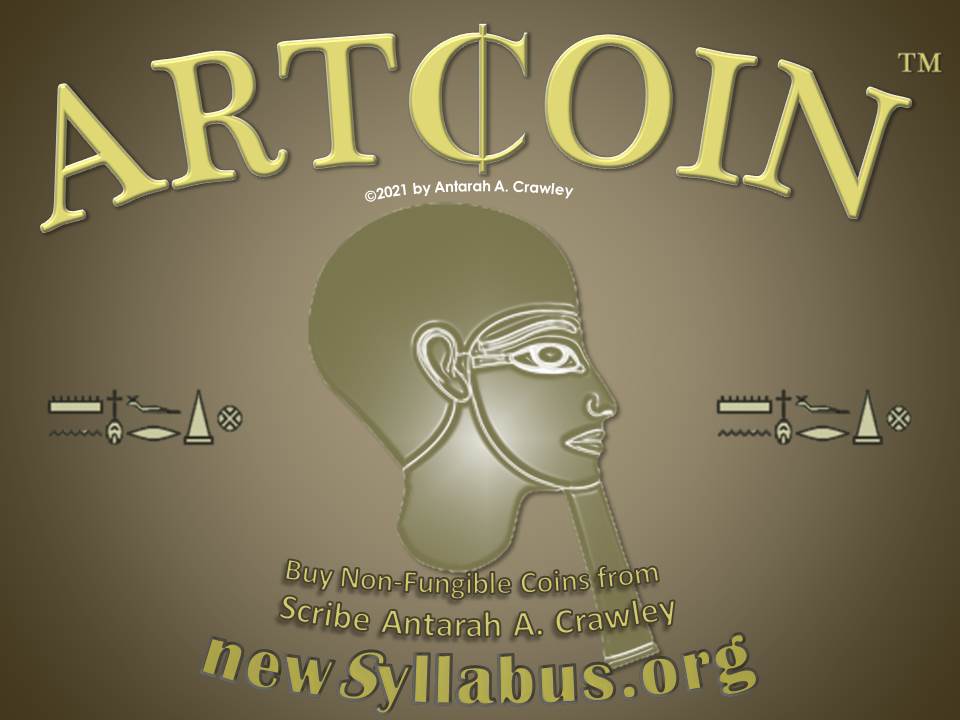
Initial Public Offering
Scribe Antarah A. Crawley Meriptah for The New Syllabus at newsyllabus.org to the General Public offers for sale an asset and instrument in the form of a metal coin hand-engraved and serialized by a veritable scribe and minister in the tradition of Men Nefer, branded as Art¢oin. Said coin shall appreciate in value by a function of volume on deposit, volume in circulation, gauge, size and type of metal, the skill of the artist-scribe, and public faith and trust in the traditions of our Noble Ancestors who established the United State of North and South Ta-Meri at Men Nefer in the House of the Ka of Ptah. These works of art shall exalt the spirit of our Ancestors in the following of Heru who United the North and South in the name of his Father Wasar, and the Netjeru in front of them and behind them, for the Glory of All Humanity, Amen.
To buy Art¢oin contact The New Syllabus Office of Ombudsman, the Men Nefer College Admissions office, or the <Director> of The New Syllabus @newsyllabus.org.
Antarah A. Crawley hereby claims the word marks “Meriptah”, “Merry Ptah”, and “Art¢oin”, as of their first use in the United States of America on 2/22/2021, 2/23/21 and 2/24/21, respectively, in referring to hand- or machine- engraved or stamped coins of precious metal, especially those containing Medu Netjer. Ⓒ 2021 by Antarah A. Crawley. All intellectual property rights reserved.
SALES
see blockchain
Mindsoft SILVER.DOCS

Mindsoft MAIN


 Supreme Exchange